表示モード
| grandMA3 ユーザマニュアル » アジェンダ » 表示モード | Version 2.4 |
Agenda ウィンドウを開きます(ウィンドウの追加 を参照)。Add Window ダイアログの Tools タブで Agenda Viewer をタップすると、Agenda ウィンドウが開きます。
Agenda ウィンドウでは、Sheet、Year、Month、Week、Day という5種類の表示モードでデータを表示できます。
ビューを変更するには、タイトルバーの View Mode をタップします。

|
ヒント |
| Sheet ビューでアジェンダ・エントリーを並べ替えるには、列ヘッダを右クリックするか、長押しします。 |
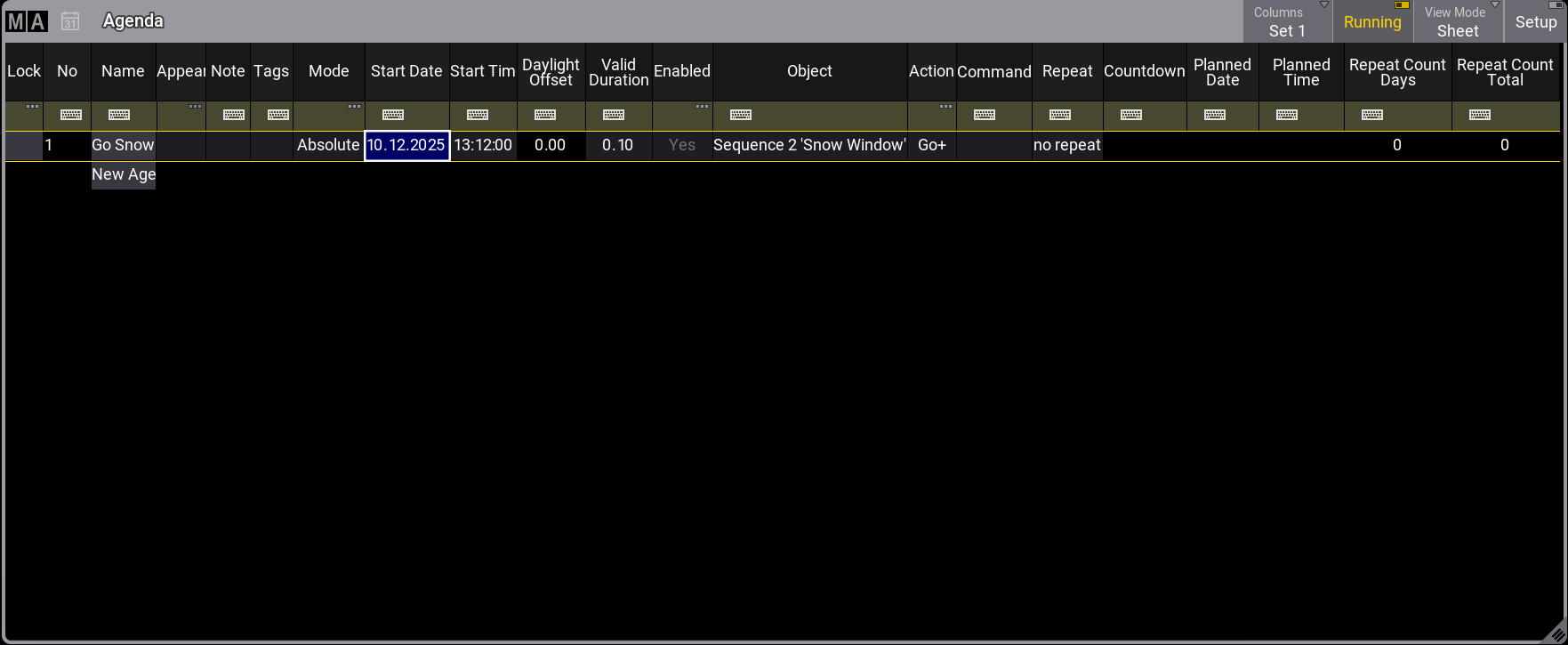
Sheet 表示モードでは、すべてのアジェンダ・エントリーがスプレッドシート形式で表示されます。フィルタ・ツールバーを使用して絞り込むことができます。詳しくは 一時的なフィルタリング を参照してください。
Year 表示モードでは、年単位のカレンダーを表示します。現在の日付は薄い灰色、有効なイベントが1つ以上ある日は緑で強調表示されます。明るい赤の背景は、その日のすべてのイベントが無効であることを示します。
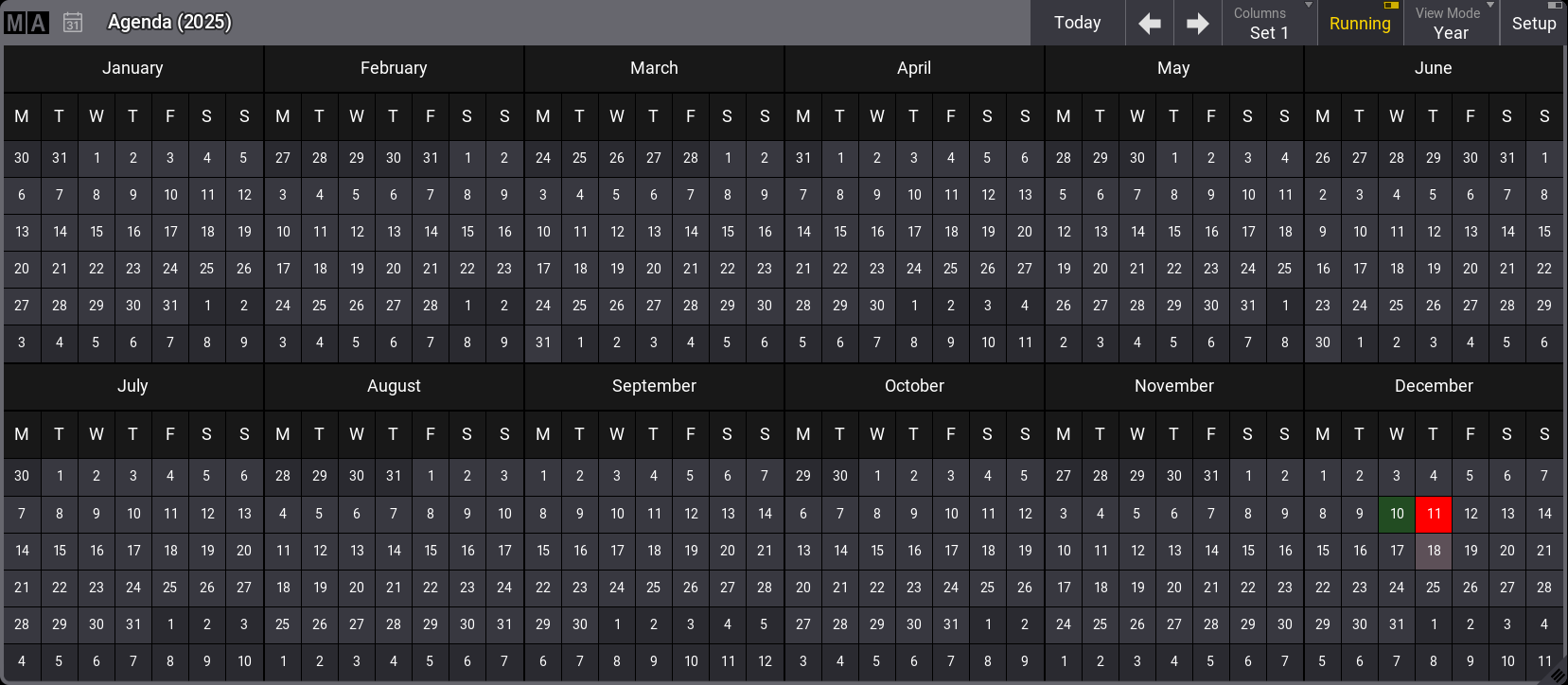
Agenda - Year 表示モード
Month 表示モードでは、選択した月のすべてのアジェンダ・エントリーを表示します。
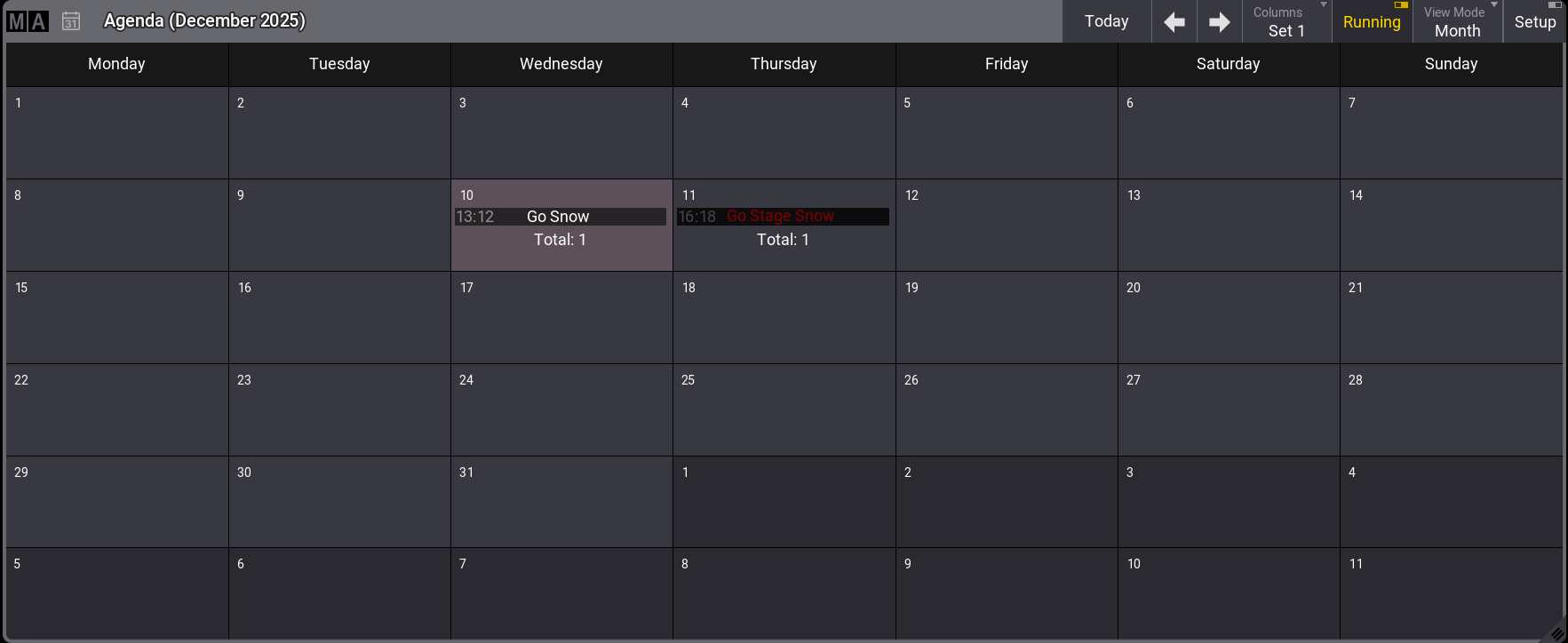
Agenda - Month 表示モード
Week 表示モードでは、選択した週のすべてのアジェンダ・エントリーを表示します。
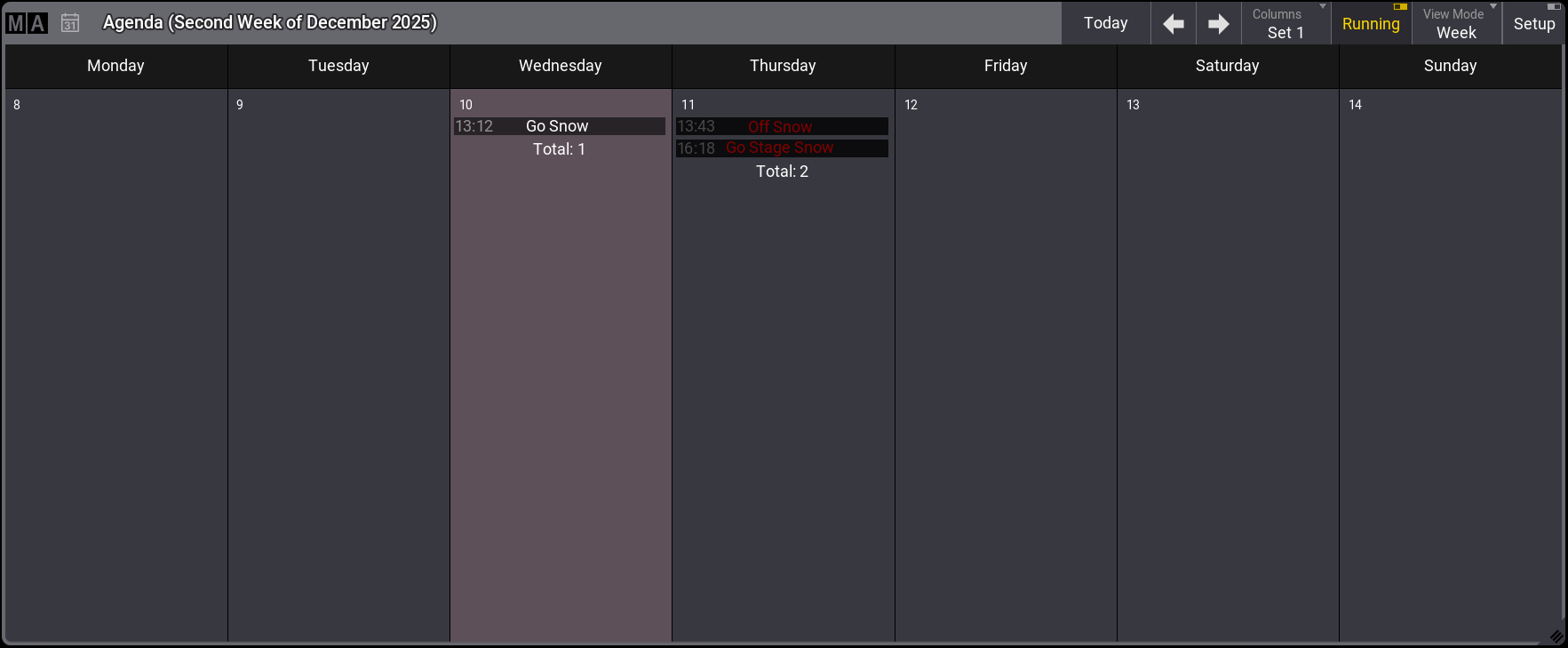
Agenda - Week 表示モード
- Day 表示モードは2つのセクションに分かれています。 左側には小さな月間概要が、右側には選択した日のエントリーが表示されます。
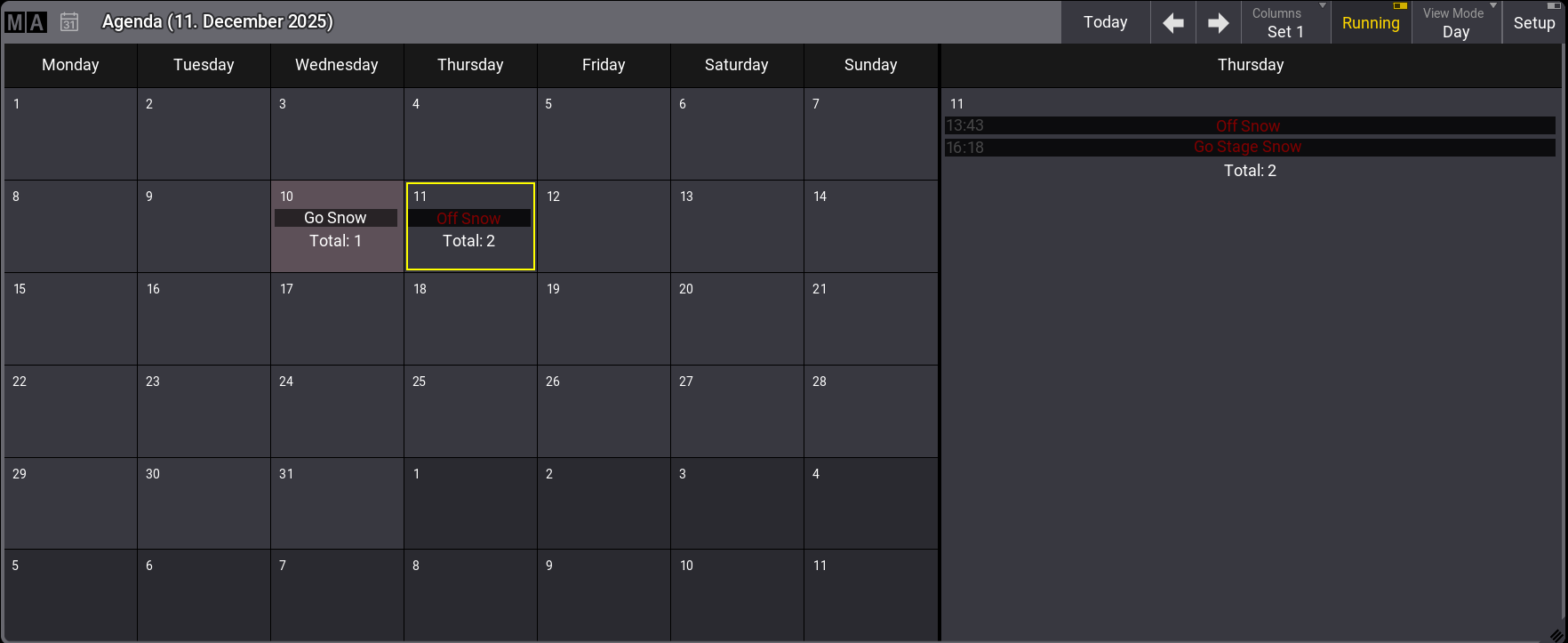
Agenda - Day 表示モード
|
|
ヒント |
|
・無効なイベントは赤文字で表示されます。 ・繰り返しイベントでは、右側に  が表示されます。これは Month、Week、Day ビューモードに適用されます。 が表示されます。これは Month、Week、Day ビューモードに適用されます。
|